
Overview
The NCGA print shop runs jobs across several digital printers. Splitting a job across more machines finishes it sooner, but every added printer costs setup time, so past a certain point another machine isn’t worth it. The calculator answers that question from the job’s own numbers: how many printers to use, which ones, in what order, and how many copies to send to each.
How It Works
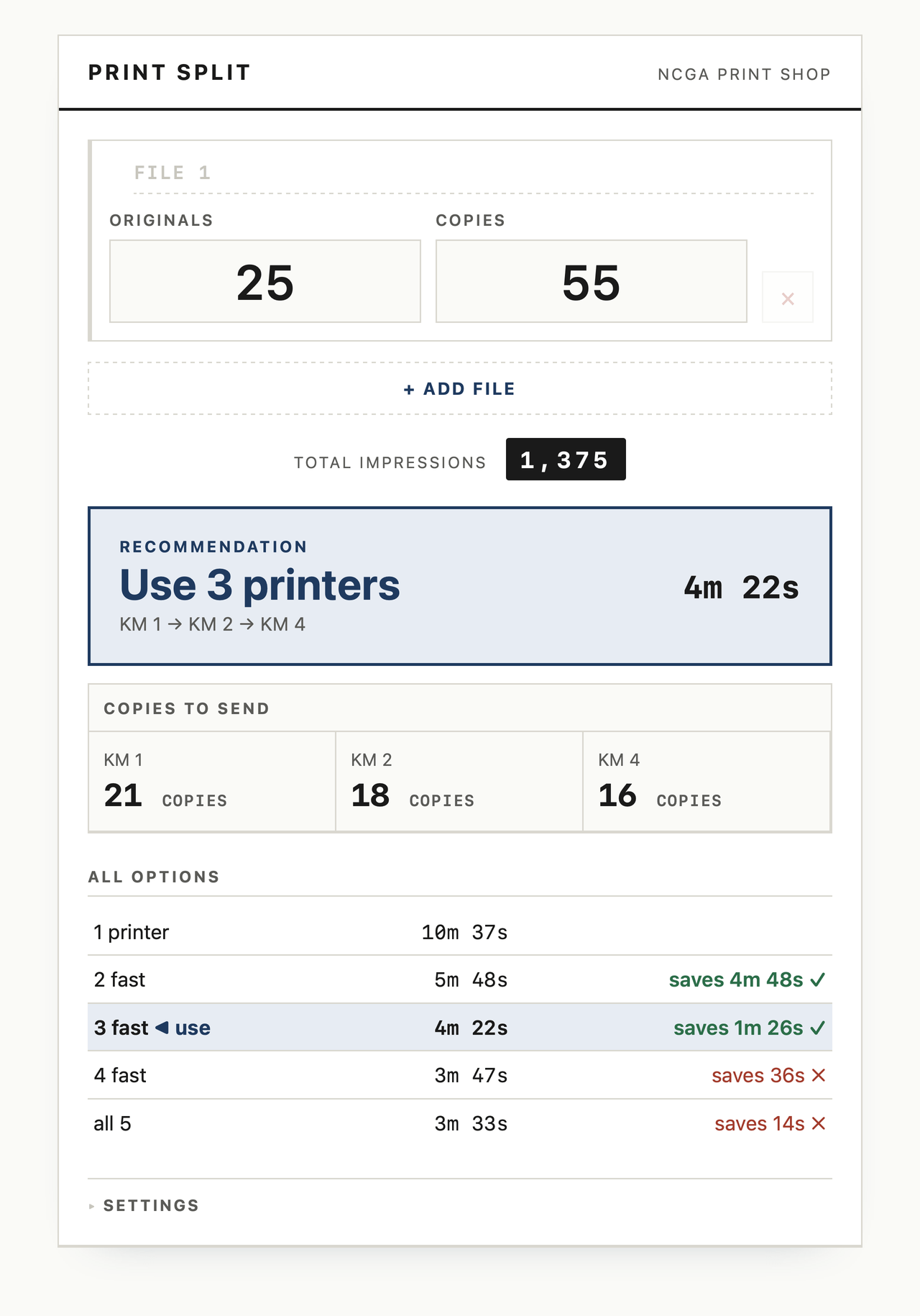
Each job is entered as originals and copies, which gives total impressions. Every printer has a per-minute speed, and printers are set up one after another, so each added machine starts a little later than the last. The calculator finds the finish time where every chosen printer ends together, splits the copies to match, and only adds another printer if it saves more than a set threshold.
Several Jobs at Once
When several files run at the same time and there are enough fast printers, each file gets its own machines, and any spare printers go to whichever file is holding up the shop. The slower printer joins only as a last resort, and only if it lowers the shop-wide finish time. With more files than fast printers, the largest jobs are scheduled first and printers are shared in sequence. Each file is color-tagged, and numbered badges show the order to send them.
Built to Travel
The whole tool is one self-contained HTML file with no install, no dependencies, and no network connection, so it runs in any browser on any machine. Printer count, speeds, setup time, and the time-saving threshold are all adjustable, with a reset to shop defaults, and printer names follow the shop’s real machine numbering.
Outcome
The shop uses it when large jobs come in, so they can be split across the right printers and finished as quickly as possible.