Skip to content
Back to projects
  • UX/UI
  • Information Architecture
  • Front-End

Creative Printing Order Flow

Redesigned the homepage order path around a responsive icon grid, helping customers choose the right print, sign, multimedia, website, or service intake route.

Role
UX/UI designer and developer
Year
2018–2020
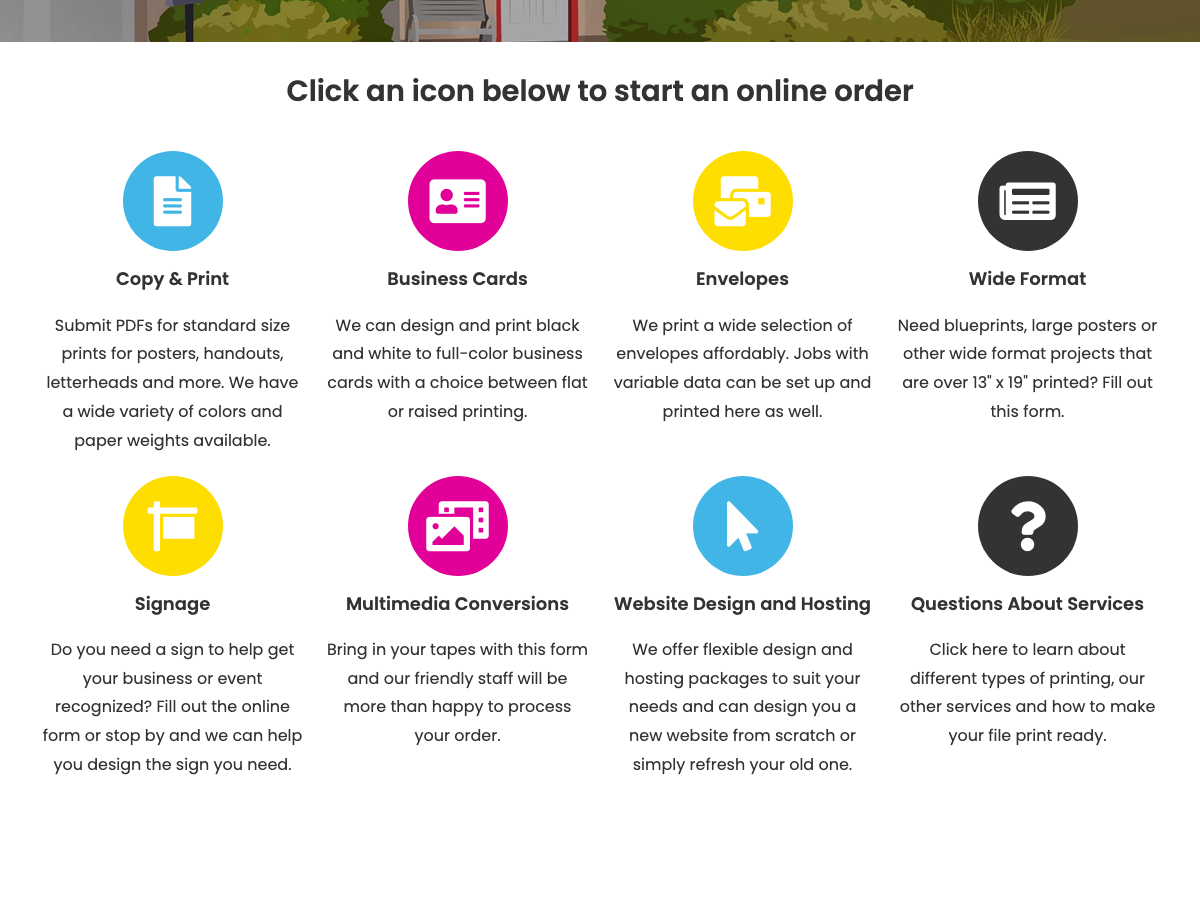
Creative Printing order-entry grid with eight service categories for online requests.

Overview

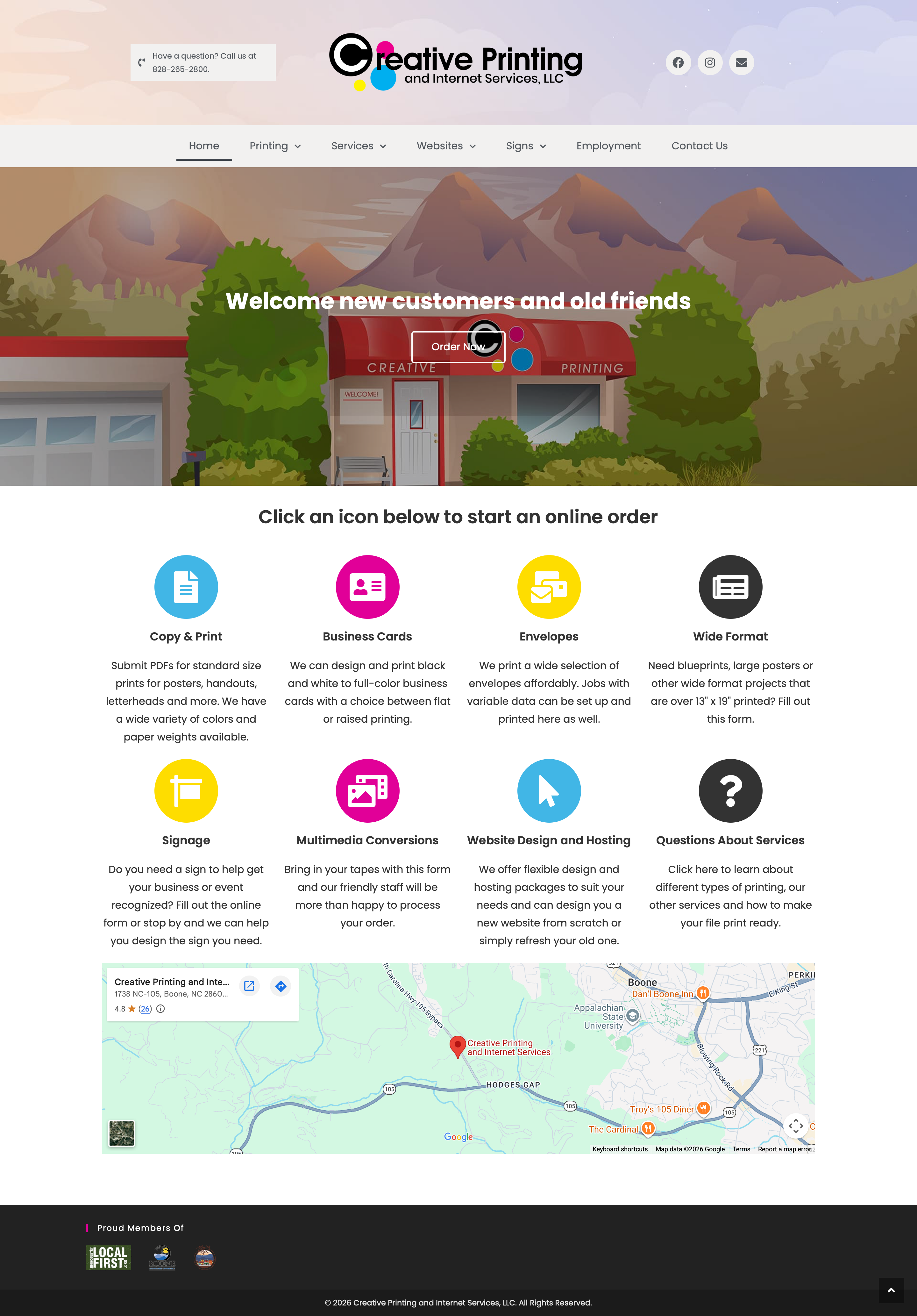
Creative Printing’s homepage needed to do more than introduce the shop. It had to help customers start the right kind of order: copy and print, business cards, envelopes, wide format, signage, multimedia conversions, website work, or general service questions.

I redesigned and built the order entry experience around a simple question: what are you trying to make? The homepage moved from broad service browsing toward a direct category grid that sent customers into the right intake path.

Problem
Customers needed a faster way to choose the right order path.
Primary users
Local customers ordering print, signs, multimedia, or website services.
Design move
Surface the main order categories as large icon-grid entry points.
Result
The category grid shipped as the homepage entry point for every service path, and still anchors the live site.

The Friction in the Flow

Customers often arrived with a specific job in mind, but print work spans different mental models. A business card order, a sign request, and a website refresh do not need the same questions or the same next step.

The order path needed to solve three practical problems:

  • Different service types. Printing, signs, multimedia, and websites each needed a distinct entry point.
  • Fast recognition. Customers needed to see their job type before reading through service pages.
  • Mobile access. The order entry points had to be usable from small screens, not only from the desktop navigation.

Refactoring the Information Architecture

I restructured the homepage around the “Order Now” moment. Instead of forcing customers to choose from navigation menus first, the page introduces a large icon grid with the main job categories.

The categories use plain service names customers already understand: “Copy & Print,” “Business Cards,” “Envelopes,” “Wide Format,” “Signage,” “Multimedia Conversions,” “Website Design and Hosting,” and “Questions About Services.” Each tile acts as a decision point, moving customers toward the relevant service page or intake form.

Homepage Order Now
Category grid Recognize the job type
Next step Service page or intake form

Responsive Design and Implementation

I built the homepage and order grid to work across screen sizes, with large visual targets and clear labels. The interaction stayed intentionally simple: find the closest category, select it, and continue into the appropriate service path.

The interface keeps the main service paths visible before customers commit to a form, so picking the wrong category costs one step back rather than a restart.

Outcomes

The redesigned order path shipped on Creative Printing’s homepage, giving customers a direct route from recognizing their job type to the right intake form. Years later, the grid still anchors the live site — structure that held up in daily use, not a one-off concept.